
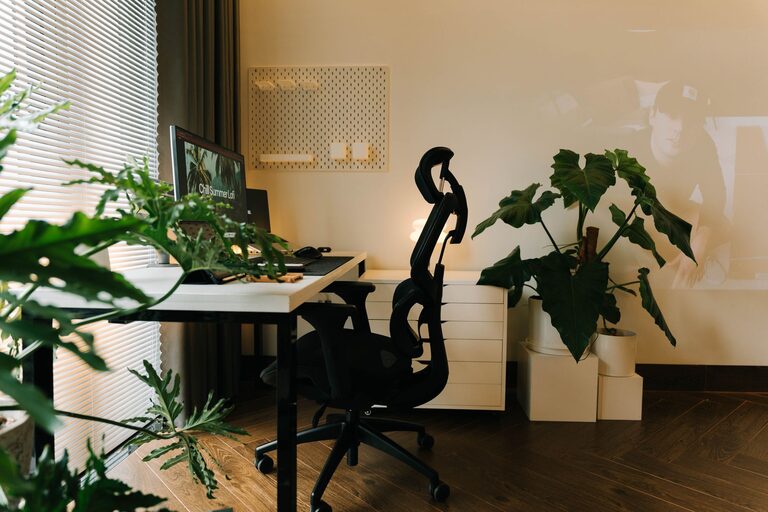
Creating a home office that is both cozy and functional can make a huge difference in your workday. Whether you’re working remotely full time or just need a dedicated space for bills and personal projects, a well-designed home office helps boost productivity while keeping you comfortable. In this post, we’ll explore practical tips for designing and organizing your home office to make it a pleasant place to spend time and get things done.
Choose the Right Location
Selecting a suitable spot for your home office is the first step. Ideally, pick a quiet corner or a separate room with minimal distractions. Natural light is a big plus, so try to position your desk near a window if possible. If privacy is key, consider a room with a door or use room dividers to separate your workspace.
Invest in a Comfortable Chair and Desk
Since you’ll be spending hours at your desk, investing in ergonomic furniture is essential. A comfortable chair with good lumbar support helps prevent back pain. Adjustable desks that allow you to switch between sitting and standing positions are also beneficial for comfort and health.
Optimize Lighting
Good lighting reduces eye strain and creates a welcoming atmosphere. Combine natural light with layered artificial lighting. Use a desk lamp with adjustable brightness to highlight your work area, and consider soft ambient lighting to keep the room inviting.
Keep Your Space Organized
A cluttered desk can lead to distraction and stress. Use organizers, shelves, and drawers to store office supplies and paperwork. Cable management solutions hide unsightly cords and keep your workspace tidy. Labeling storage bins can further improve organization.
Personalize Your Workspace
Adding personal touches makes your office feel inviting. Decorate with plants, artwork, or photos that inspire you. Choose colors and décor items that promote calm and focus. However, avoid overloading your space with too many items that can distract you.
Use Technology Wisely
Equip your home office with the right tech tools to work efficiently. A reliable internet connection and necessary peripherals like printers, headphones, and extra monitors contribute to a smooth workflow. Ensure that cables are neatly arranged to maintain your office’s clean look.
Manage Noise Levels
If noise is a concern, use noise-canceling headphones or white noise machines to block distractions. Soundproofing solutions, like heavy curtains or rugs, can help minimize sound from other parts of the house.
Incorporate Storage Solutions
Having sufficient storage is key to maintaining order. Use bookshelves, filing cabinets, or wall-mounted storage to keep documents and supplies within reach but out of sight. Vertical storage is especially helpful in smaller spaces.
Create a Routine-Friendly Setup
Arrange your workspace to support your daily tasks. Keep frequently used items easily accessible. Designate zones for different activities, such as computer work, reading, or brainstorming. This organization helps streamline your workflow.
Take Breaks and Add Comfort
Finally, include elements that encourage breaks and comfort. A cozy throw blanket, a small area rug, or a soft cushion on your chair can make your office more inviting. A water bottle or a small snack station nearby can also keep you refreshed throughout the day.
—
Designing a home office that balances coziness with functionality doesn’t have to be complicated. With thoughtful furniture choices, smart organization, and personal touches, you can create a space that supports your best work while feeling like your own. Start small, and adjust based on your needs and preferences to build an ideal environment for productivity and comfort.