
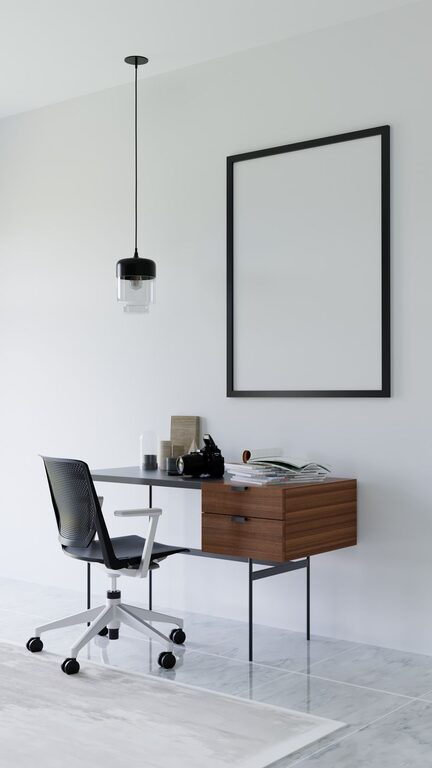
Creating a productive home office space has become essential for many people who work remotely or spend significant time on personal projects. A well-designed workspace can improve your focus, increase efficiency, and help you separate work from relaxation. Whether you have a dedicated room or just a small corner, these tips will guide you in crafting a home office that suits your needs and promotes productivity.
1. Choose the Right Location
Consider Natural Light and Minimal Distractions
The location of your home office can make a big difference. If possible, pick a spot with plenty of natural light — studies show that natural light can boost mood and energy levels. Avoid areas with frequent noise or distractions, like near the TV or busy hallways. A quiet space helps you concentrate better.
Set Boundaries
If you share living space with others, establish clear boundaries to reduce interruptions. Use room dividers or screens if you cannot have a separate room. Let family members or roommates know your working hours to respect your focus time.
2. Invest in Ergonomic Furniture
Desk and Chair Matter
Comfort is key to staying productive. Choose a desk with enough surface area for your computer, paperwork, and any other tools you need daily. Your chair should support good posture and be adjustable to fit your height.
Consider Standing Options
Alternate between sitting and standing to reduce fatigue. Standing desks or adjustable desk converters can help you switch postures throughout the day.
3. Organize Your Workspace
Keep It Clutter-Free
A cluttered desk can lead to a cluttered mind. Keep only essential items on your desk to minimize distractions. Use trays, organizers, or small containers to keep supplies tidy.
Smart Storage Solutions
Shelves, drawers, and filing cabinets help store documents and materials neatly. Label storage spaces so you can find what you need quickly.
4. Optimize Technology and Equipment
Reliable Internet Connection
A strong, stable internet connection is critical for seamless communication and research. Consider upgrading your router or using a wired connection if Wi-Fi is weak.
Essential Devices and Accessories
Make sure your computer, monitor, keyboard, and mouse are comfortable to use. Consider investing in noise-canceling headphones if your environment is noisy. Use a printer or scanner if your tasks require physical documents.
5. Personalize Your Space
Add Inspiring Elements
Decorate your home office with things that motivate you, like artwork, plants, or photos. Plants can also improve air quality and add a touch of freshness.
Comfortable Temperature and Lighting
Adjust the temperature and lighting to your liking. Use adjustable lamps or task lighting to avoid eye strain.
6. Maintain a Consistent Routine
Set Regular Working Hours
Try to start and end your workday at consistent times to build a routine. This helps you separate work life from personal life.
Take Scheduled Breaks
Short breaks throughout the day boost focus and reduce burnout. Use a timer or productivity apps to remind yourself.
7. Minimize Digital Distractions
Manage Notifications
Turn off non-essential notifications on your computer and phone during work hours.
Use Focus Tools
Apps that block distracting websites or track your productivity can help you stay on task.
8. Keep Your Workspace Clean and Fresh
Daily Tidying
Spend a few minutes tidying your workspace at the end of each day so you start fresh tomorrow.
Air Quality
Open windows when possible, or use an air purifier to keep your environment healthy and refreshing.
—
By thoughtfully setting up your home office with these tips, you can create an environment that supports your work goals and keeps you motivated. Remember, the ideal workspace is one that suits your unique preferences and work style. Start small and adjust as you go to find what works best for you.