



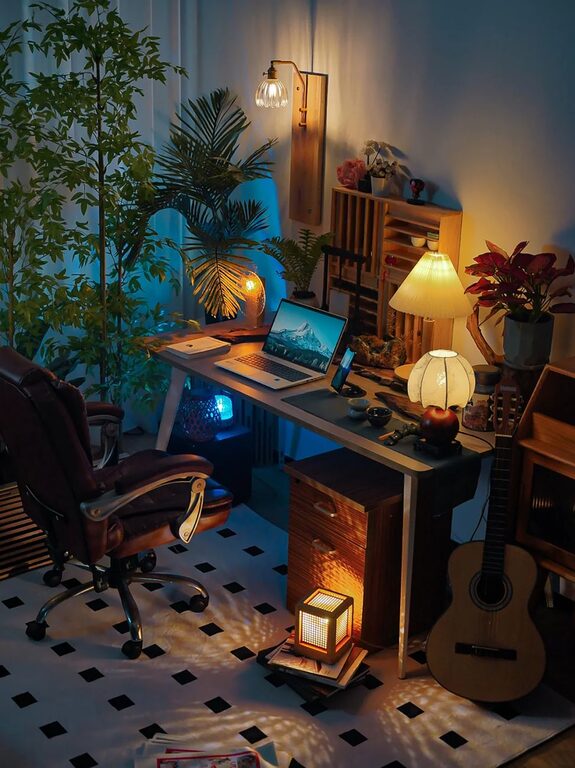
Creating a cozy and inviting home office space can transform the way you work from home. Comfortable surroundings not only boost productivity but also help reduce stress and increase creativity. Whether you have a dedicated room or just a small corner, designing a workspace that feels welcoming is achievable with a few thoughtful steps. Here’s a detailed guide to help you turn your home office into the perfect blend of comfort and functionality.
Assess Your Space and Needs
Before purchasing furniture or adding decorations, take a moment to consider the space you have and how you plan to use it. Ask yourself:
– How much room is available?
– What type of work will I do?
– Do I need storage for documents or supplies?
– Will I have video meetings that require a background?
Understanding your needs ensures the space caters to your daily routines.
Choose Ergonomic Furniture
Comfort is key in any home office. Selecting ergonomic furniture helps maintain good posture and reduces discomfort during long work hours.
– Desk: Pick a desk with sufficient surface area for your computer, notebooks, and other essentials. Adjustable desks that allow sitting or standing are great options.
– Chair: Invest in a chair that supports your lower back and promotes proper posture. Adjustable height and armrests add to comfort.
– Accessories: Consider a footrest or ergonomic keyboard and mouse to further enhance comfort.
Optimize Lighting
Good lighting reduces eye strain and sets a pleasant mood for working.
– Natural Light: Position your workspace near a window to take advantage of daylight. Natural light improves mood and alertness.
– Task Lighting: Use a desk lamp to provide focused lighting for reading or detailed tasks.
– Ambient Lighting: Soft background lighting can make the room feel warmer and more inviting.
Balancing natural and artificial lighting creates a well-lit and comfortable atmosphere.
Organize and Declutter
An organized workspace helps clear your mind and increases productivity.
– Storage Solutions: Use shelves, filing cabinets, or storage bins to keep supplies neat and accessible.
– Desk Organization: Utilize desk organizers, trays, or drawer dividers to reduce clutter.
– Cable Management: Keep wires tidy with clips or channels to maintain a clean look.
Regularly decluttering your space ensures it stays functional and inviting.
Personalize Your Space
Adding personal touches makes your office feel uniquely yours and more welcoming.
– Decor: Hang artwork, photos, or inspirational quotes that motivate you.
– Plants: Incorporate indoor plants to bring life and fresh air into the room.
– Textiles: Use cozy rugs, cushions, or curtains to soften the ambiance.
Personal elements create a space that feels comfortable and energizing.
Incorporate Calming Colors
Color impacts mood and focus. Choosing the right palette can make your office feel cozy and less stressful.
– Soft Neutrals: Light grays, beiges, and creams create a calm and clean environment.
– Warm Tones: Soft yellows, muted oranges, or terracotta add warmth and comfort.
– Accent Colors: Use blues or greens to promote concentration and tranquility.
Paint the walls or select accessories that align with your desired atmosphere.
Enhance Air Quality
Fresh air improves concentration and well-being.
– Ventilation: Open windows periodically to let in fresh air.
– Air Purifiers: Consider using an air purifier to reduce allergens and dust.
– Plants: Some indoor plants also help clean the air naturally.
A well-ventilated office supports health and productivity.
Maintain Flexibility
Make your setup adaptable to different tasks or moods.
– Use movable furniture or modular desks to reconfigure the space.
– Include a comfortable chair or small couch for reading or brainstorming away from your desk.
– Keep a whiteboard or corkboard for notes and ideas within easy reach.
Having a flexible workspace allows you to work comfortably through various activities.
Add Technology Thoughtfully
Equip your home office with technology that complements productivity without causing distraction.
– Use noise-canceling headphones for focused work.
– Position monitors at eye level to reduce neck strain.
– Choose wireless devices to minimize cables and clutter.
Investing in practical technology supports efficient workdays.
Create Boundaries
Separating work and home life is essential when working from home.
– Choose a spot that is distinct from living areas.
– Use room dividers or curtains if the space is shared.
– Establish “office hours” to signal to others when you are working.
Clear boundaries help maintain focus and balance.
—
By incorporating these tips, you can design a home office that’s cozy, inviting, and perfectly suited to your work style. A space that feels good to be in will naturally encourage productivity and well-being throughout your day. Take the time to personalize your office, organize thoughtfully, and choose comfort as a priority — your work will thank you!